下载 jvms
https://github.com/ystyle/jvms
- decompression zip and copy jvms.exe to a path what you want
- run cmd or powershell as administrator
- cd to folder where jvms.exe in
- run jvms.exe init
- Setup is complete ! Switch and install jdk see Usage Section
如果想直接使用 jvms 而不加 .exe , 那么需要把 安装路径配置到 PATH 中
D:\devtools\jvms
执行命令
NAME:
   jvms - JDK Version Manager (JVMS) for Windows

USAGE:
   jvms.exe [global options] command [command options] [arguments...]

VERSION:
   2.0.0

COMMANDS:
     init        Initialize config file
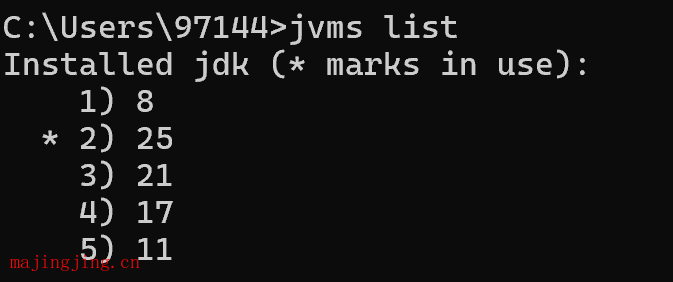
     list, ls    List the JDK installations.
     install, i  Install remote available jdk
     switch, s   Switch to use the specified version.
     remove, rm  Remove a specific version.
     rls         Show a list of versions available for download.
     proxy       Set a proxy to use for downloads.
     help, h     Shows a list of commands or help for one command

GLOBAL OPTIONS:
   --help, -h     show help
   --version, -v  print the version
 打赏下吧
打赏下吧